
Why does a premium villa equipped with the world’s fastest fiber-optic connection still suffer from buffering in the master suite or lagging CCTV feeds at the perimeter? You’ve likely invested in the latest hardware, yet the reality of dead zones and dropped connections persists. It’s a common frustration for many homeowners in Dubai who find that their digital environment doesn’t quite match the sophistication of their physical space. Professional Router Installation & Configuration is the invisible enabler that bridges this gap, transforming standard hardware into a high-performance lifestyle asset.
We understand that you expect your home to function with absolute fluidity; where every smart device, security camera, and streaming service works in perfect harmony. This guide provides the expertise you need to master the essentials of professional setup, ensuring seamless, high-speed connectivity across your entire property. We’ll explore the transition to Wi-Fi 7 standards, the necessity of TDRA-approved infrastructure, and the specific configurations required to secure your smart home data. By the end, you’ll have a clear roadmap to a future-proofed network that delivers peace of mind and effortless connectivity in every room.
Key Takeaways
- Discover the science of signal propagation and how strategic placement eliminates persistent dead zones in expansive villa layouts.
- Learn how professional Router Installation & Configuration secures your smart home data while optimizing radio frequencies to avoid neighborhood congestion.
- Master Quality of Service (QoS) settings to prioritize high-bandwidth traffic for lag-free CCTV feeds and video intercom performance.
- Understand the importance of TDRA-approved hardware and professional network audits to ensure long-term stability and infrastructure longevity.
The Foundation of Connectivity: Understanding Router Installation and Configuration
The router acts as the central intelligence of your modern home; it manages every bit of data that flows between your devices and the global web. While many view it as a simple utility box, professional Router Installation & Configuration transforms this hardware into a sophisticated gatekeeper. In 2026, as Wi-Fi 7 becomes the standard for high-performance living, a basic setup is no longer sufficient. This new era of connectivity utilizes 320MHz channels and Multi-Link Operation (MLO) to provide fiber-like speeds wirelessly. Without precise calibration, these advanced features remain dormant. You’re left with expensive hardware that underperforms. Expert configuration acts as the invisible enabler for your digital lifestyle, ensuring your network isn’t just active, but optimized to prevent hardware fatigue and long-term security vulnerabilities.
Router vs. Modem: Knowing Your Infrastructure
Understanding the distinction between your modem and router is the first step toward a stable environment. The modem serves as your entry point, converting signals from your ISP into a digital format. In contrast, it helps to understand what a wireless router is; it’s the distribution hub that directs that data to your smartphones, laptops, and smart appliances. In expansive Dubai villas, we often recommend separate professional-grade units rather than the combined “all-in-one” devices provided by service providers. This separation allows for greater processing power and better heat dissipation. It provides the flexibility to scale your coverage as your digital needs grow without compromising the stability of your core connection.
Why ‘Plug-and-Play’ Often Fails in Large Villas
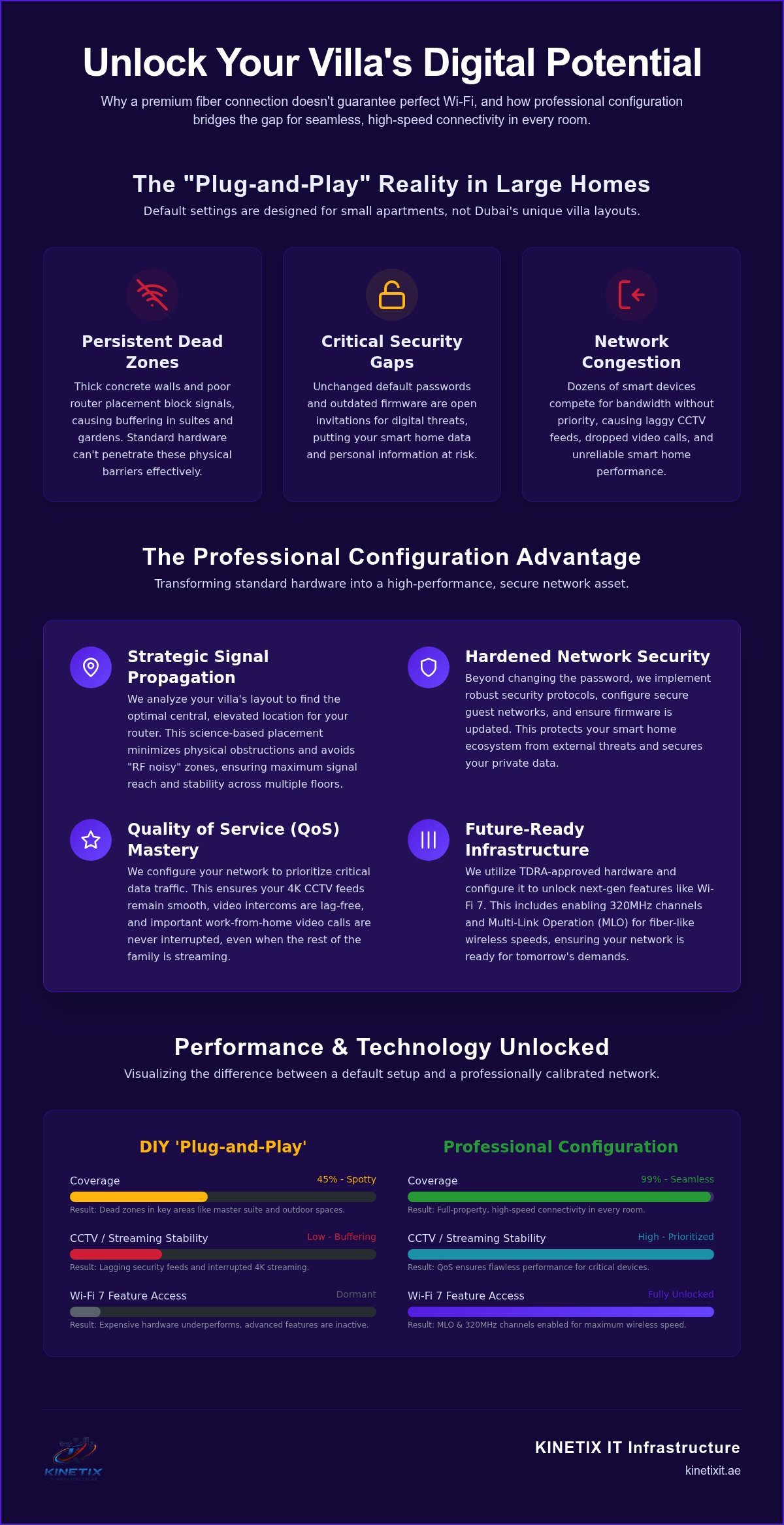
The promise of a five-minute setup is enticing. However, “out of the box” settings are designed for average apartments, not architectural masterpieces. Default factory configurations often use crowded frequencies that clash with your neighbors’ networks. This leads to intermittent lag and dropped connections. Dubai’s unique villa construction, often featuring thick concrete and reinforced steel, creates physical barriers that a standard setup cannot penetrate. Beyond physical obstacles, professional intervention ensures your equipment meets TDRA standards, avoiding the legal risks associated with non-approved hardware in the UAE.
- Security Gaps: Default administrative passwords are easily exploited by modern digital threats if left unchanged.
- Signal Degradation: Factory power levels aren’t tuned for specific room layouts or multi-story structures common in premium communities.
- Device Congestion: Standard settings don’t prioritize critical traffic like security feeds or professional video calls.
Relying on plug-and-play methods ignores the complexity of a modern smart home where dozens of devices compete for bandwidth simultaneously. Professional Router Installation & Configuration ensures each device receives the priority it requires for a frictionless and secure experience.
Strategic Placement and Physical Installation for Maximum Reach
Signal propagation is governed by physics, not luck. Achieving a high-performance network starts with the precise physical placement of your hardware. Placing your router on a high, central shelf allows radio waves to cascade downward, minimizing the number of obstacles they must penetrate before reaching your devices. Professional Router Installation & Configuration avoids the common mistake of tucking equipment into cabinets or behind televisions. These locations act as signal dampers, significantly reducing the effective range of even the most powerful Wi-Fi 7 units. While you focus on aesthetics, we ensure those choices don’t compromise your digital reach.
Interference remains a silent performance killer in modern homes. Household appliances like microwaves, cordless phones, and even large mirrors can reflect or absorb signals, leading to frustrating jitter. A professional approach involves identifying these “RF noisy” zones and ensuring your router is positioned far from competing electronics. While optimizing for speed, it’s also vital to consider the CISA home network security guidelines to ensure your physical setup doesn’t inadvertently expose your network to external tampering or signal leakage beyond your property lines.
The secret to a truly seamless experience lies in structured cabling. By providing a dedicated physical path for data, you remove the burden of long-distance transmission from the wireless spectrum. This infrastructure allows your router to focus its energy on mobile devices while stationary hardware remains perfectly stable. It’s the difference between a network that merely works and one that feels instantaneous.
Overcoming Concrete: The Dubai Villa Challenge
Dubai’s architectural style often features thick reinforced concrete and steel-framed walls. These materials are nearly impenetrable for high-frequency Wi-Fi signals, particularly the 6GHz bands used in 2026. This is why professional Ethernet cable installation is the backbone of any successful Router Installation & Configuration. By using these cables as a “wired backhaul,” we link multiple access points directly to the main router. This ensures that the full fiber speed delivered to your doorstep is available in the basement, the garden, and every floor in between without the latency issues of range extenders.
Cooling and Longevity: Protecting Your Hardware
Thermal management is a critical yet overlooked aspect of network reliability in the UAE. High-performance routers generate significant heat while processing the encrypted data streams of a modern smart home. If a router is placed in a poorly ventilated area, it will eventually throttle its performance to prevent permanent damage. We recommend housing core equipment in ventilated network cabinets or open shelving where airflow is consistent. Maintaining an optimal operating temperature doesn’t just ensure consistent data throughput; it significantly extends the lifespan of your investment. For a comprehensive review of your home’s physical network health, a professional network audit can identify hidden bottlenecks before they become failures.
Professional Configuration: A Step-by-Step Security and Performance Guide
The logic within your hardware is what truly defines the user experience. Professional Router Installation & Configuration goes beyond the basic setup wizard to address the nuances of high-density digital environments. In 2026, the baseline for security is WPA3 encryption. This protocol provides robust protection against “brute-force” attacks that older WPA2 systems can’t match. We also implement automated firmware updates; this ensures your network remains resilient against emerging cyber threats without requiring manual intervention. By changing default administrative credentials immediately, we eliminate the most common entry point for unauthorized access.
Neighborhood congestion is a frequent issue in premium Dubai communities. Even if your neighbors are several meters away, their networks can overlap with yours. We analyze the local spectrum and manually select non-overlapping RF channels. This step eliminates the “hidden node” problem and ensures your Wi-Fi 7 channels, particularly the wide 320MHz bands, operate with zero interference. It’s a precise calibration that transforms erratic signals into a steady, dependable stream of data.
SSID Strategy and Guest Network Isolation
Hiding your network name (SSID) is often touted as a security measure, but it can actually cause connectivity issues with certain devices and doesn’t stop sophisticated scanners. A better strategy involves clear naming conventions and the creation of an isolated guest network. This secondary network allows visitors and smart home devices to access the internet without ever touching your primary data or private files. It’s a critical layer of defense that keeps your sensitive financial and personal information walled off from potentially vulnerable IoT gadgets. We also implement Quality of Service (QoS) rules here, ensuring your work-from-home video calls always take priority over background downloads or gaming traffic.
Advanced Settings: DHCP, DNS, and Port Forwarding
The final layer of optimization involves fine-tuning how devices communicate. We often configure custom DNS (Domain Name System) settings, such as Cloudflare or Google DNS, to shave milliseconds off loading times and provide enhanced parental controls. For stationary devices like printers or CCTV hubs, we use DHCP reservations. This assigns a permanent IP address to specific hardware, preventing the “device not found” errors that plague unconfigured networks. If you require remote access for gaming or home servers, we safely configure port forwarding. This ensures only the necessary traffic passes through your firewall. Each step of this Router Installation & Configuration process is designed to create a frictionless environment that supports your lifestyle without compromise.
Optimizing for the Modern Smart Home and Security Integration
A modern villa is a complex data ecosystem where dozens of “silent” devices compete for bandwidth. Professional Router Installation & Configuration ensures that your smart infrastructure remains an asset rather than a liability. When we integrate high-bandwidth systems like CCTV camera installation, we prioritize router stability to handle 4K streams without stuttering. By configuring Quality of Service (QoS) specifically for video intercom setup, we ensure your front gate communication remains crystal clear, even when other family members are streaming 8K content. This precision prevents the frustrating lag that often plagues unoptimized residential networks.
The sheer volume of “Internet of Things” (IoT) devices can create a background chatter that slows down your primary computing tasks. We solve this by implementing a dedicated Virtual Local Area Network (VLAN) for security and smart home hardware. This segregation ensures that a simple smart bulb or thermostat cannot compromise the performance or security of your main network. It creates a digital firewall between your lifestyle gadgets and your sensitive personal data. It’s the difference between a house that has Wi-Fi and a home that is truly connected.
Seamless Roaming: From the Living Room to the Pool
In a large property, a single router is rarely enough. We configure advanced roaming protocols like 802.11k, v, and r to manage how your devices hand off between different zones. This ensures that a video call started in your home office doesn’t drop as you walk toward the garden. Professional Wi-Fi access point installation complements your main router, extending that 100% coverage to outdoor entertainment areas and pool decks. These protocols act as the invisible conductor, moving your connection from one point to another with zero perceived friction.
Remote Management and Monitoring
Modern networking in 2026 allows for a proactive approach to maintenance. We set up cloud-based management tools that allow you to check your network health from anywhere in the world. You can receive real-time alerts for unauthorized device connections or unexpected downtime, giving you absolute control over your digital environment. For villa owners who value peace of mind, we offer professional remote support contracts. This means we can often identify and resolve a bottleneck before you even notice a dip in performance. If your smart home feels less than intelligent, contact Kinetix for a professional Router Installation & Configuration audit today.
Why Professional Configuration is the Logical Choice for Dubai Homeowners
Selecting professional Router Installation & Configuration is an investment in your home’s digital longevity. It transitions your network from a basic utility to a high-performance asset. A certified network audit provides the peace of mind that every corner of your property is mapped for optimal coverage. Beyond immediate speed, expert configuration significantly extends the lifespan of your networking hardware. By managing thermal loads and optimizing processing tasks, we ensure your equipment doesn’t burn out prematurely under the demands of a modern smart home. We handle the complexity so you can enjoy the results.
Many residents rely on standard ISP-provided hardware, but these devices are rarely designed to handle the architectural complexities of a large Dubai villa. There’s a significant gap between basic internet access and true high-speed performance. We bridge this gap by integrating professional-grade routers that can manage the massive throughput of Wi-Fi 7 and the constant data streams of integrated security systems. Kinetix IT Infrastructure serves as your dedicated partner, ensuring your residential connectivity is as seamless and reliable as any other premium service in your home.
The Kinetix Approach: Sophisticated Solutions, Simplified Experience
We believe that technology should be an “invisible enabler.” Our team handles the technical heavy lifting, from structured cabling to complex VLAN segmentation, so you don’t have to. We combine old-fashioned reliability with the most advanced tools available in 2026. Every project begins with a customized network blueprint. This isn’t a generic setup; it’s a strategic plan designed specifically for your villa’s unique layout and your family’s specific digital habits. We ensure that your network is proactive, organized, and deeply committed to quality.
Ready for a Frictionless Network?
Upgrading your home’s digital backbone starts with a professional consultation. It’s the most efficient path to achieving true whole-home Wi-Fi without the trial and error of DIY attempts. We identify your needs, explain our expert approach, and deliver a successful outcome that allows you to focus on what matters most. Don’t let your infrastructure hold back your lifestyle. Professional intervention ensures that your smart home remains secure and your connectivity remains fluid. Contact Kinetix IT Infrastructure today for a professional router installation and configuration.
Securing Your Digital Future in 2026
Achieving a high-performance home network is no longer a matter of luck; it’s a result of precise engineering and intentional design. We’ve explored how professional Router Installation & Configuration serves as the foundation for a frictionless smart home, from overcoming thick villa walls with structured cabling to isolating IoT devices for enhanced security. By prioritizing hardware longevity and data protection, you ensure your technology works for you, rather than the other way around. This methodical approach to connectivity transforms standard internet access into a seamless lifestyle asset that supports everything from perimeter security to professional-grade home offices.
As Certified IT Infrastructure Experts and Specialists in Dubai Villa Networking, Kinetix IT Infrastructure provides the End-to-End Wi-Fi Optimization required for modern living. We handle the technical heavy lifting so you can enjoy the peace of mind that comes with a perfectly integrated digital environment. Your home deserves a network that is as sophisticated and reliable as its architecture. Take the first step toward a more connected, secure, and efficient household today.
Upgrade Your Villa Connectivity with Professional Router Configuration
Frequently Asked Questions
Can I use the router provided by my ISP for a large villa?
Most ISP-provided routers are designed for standard apartments and lack the processing power required for the thick concrete walls and multi-device demands of a large Dubai villa. While they provide basic connectivity, they often struggle with range and congestion. Professional Router Installation & Configuration using separate, high-performance units ensures your network can handle 4K streaming and smart home integration without the constant resets common with entry-level hardware.
What is the best location for a router in a two-story home?
The most effective location is a central, elevated position on the first floor, ideally mounted on a ceiling or high shelf. Radio waves propagate outward and downward, so placing the unit centrally minimizes the distance signals must travel through floors and walls. In Dubai homes with reinforced concrete, we often supplement this central router with wired access points on each level to maintain full throughput across the entire property.
How often should I update my router’s firmware?
You should update your firmware as soon as the manufacturer releases a new version, or ideally, enable automated updates within your settings. These updates contain critical security patches that defend against emerging cyber threats and improve hardware stability. For premium networks in 2026, keeping firmware current is non-negotiable to maintain compatibility with new Wi-Fi 7 devices and to ensure your Router Installation & Configuration remains optimized for peak performance.
What is the difference between 2.4GHz, 5GHz, and 6GHz bands?
These bands represent different frequencies of radio waves. The 2.4GHz band offers the longest range but slower speeds and is prone to interference from household appliances. The 5GHz band provides faster data rates with a shorter range. The 6GHz band, introduced with Wi-Fi 6E and refined in Wi-Fi 7, offers ultra-high speeds and low latency by utilizing a wider, uncongested spectrum, though it requires a clear line of sight to maintain maximum performance.
How can I secure my home router against hackers?
Securing your network begins with changing default administrative credentials and implementing WPA3 encryption, which is the current 2026 standard. Additionally, you should disable features like WPS (Wi-Fi Protected Setup) and create a dedicated guest network to isolate visitors from your primary data. Kinetix experts also recommend setting up a VLAN to separate smart home devices, ensuring a breach in a single gadget doesn’t expose your entire personal network.
Does professional router configuration really improve gaming and streaming speeds?
Yes, professional calibration significantly reduces latency and buffering. By configuring Quality of Service (QoS) rules, we prioritize gaming and streaming traffic over background updates. We also manually select the least congested RF channels in your specific Dubai neighborhood to prevent interference. This ensures that your high-bandwidth activities receive the necessary resources, resulting in a much smoother, lag-free experience compared to a standard, unoptimized setup.
What is a Mesh network and do I need one?
A Mesh network consists of a main router and several satellite nodes that work together to create a single, seamless Wi-Fi network. While useful for some layouts, large villas in Dubai often benefit more from a “wired backhaul” system where access points are connected via Ethernet cables. This professional approach provides much higher stability and speed than wireless Mesh systems, which can lose signal strength as data hops between nodes.
Why is my Wi-Fi signal weak in certain rooms despite having a high-end router?
Weak signals are usually caused by physical obstructions like reinforced concrete, mirrors, or metal frames common in local architecture. Even a high-end router cannot bypass the laws of physics if it is placed in a corner or behind a television. To resolve this, Kinetix specializes in Wi-Fi dead zone fixing, using a combination of strategic router placement and structured cabling to ensure every room receives a strong, consistent signal.